GoFundMe Campaign Setup Guide
Are you considering using GoFundMe to raise funds for a personal project, a loved one's medical expenses, or a community cause? With over $30 billion raised on the platform, GoFundMe is the most trusted online fundraising platform for crowdfunding. In this comprehensive guide, we will walk you through the steps involved in setting up a successful GoFundMe campaign, from creating a fundraiser title and story to adding photos and videos, setting a goal, and sharing your campaign with others.
The Essential Elements of a Successful Campaign
Before we dive into the setup process, it's essential to understand the key elements of a successful campaign:
- A clear and compelling story
- An achievable goal
- Engaging photos and videos
- A strong call-to-action
- Regular updates and communication with donors
By focusing on these essential elements, you can create a GoFundMe campaign that resonates with your audience and maximizes your fundraising potential.
Step 1: Create a GoFundMe Account
The first step in setting up your campaign is to create a GoFundMe account. This is a straightforward process that requires you to provide basic information, such as your name, email address, and password. Once you've created your account, you can access your dashboard and begin setting up your campaign.
Step 2: Choose Your Campaign Type
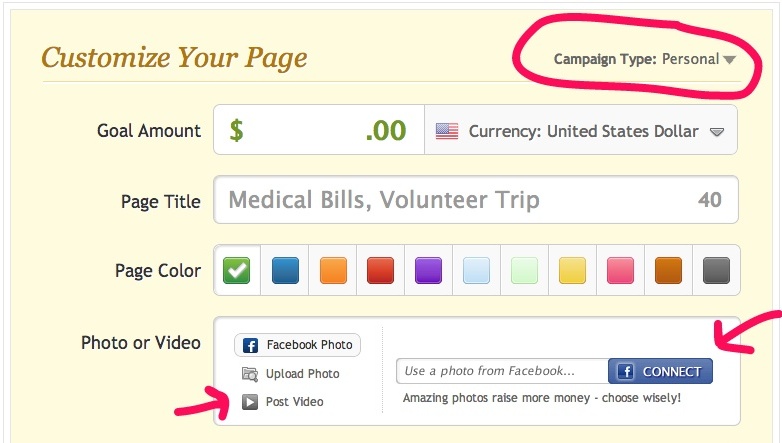
GoFundMe offers a range of campaign types to suit different needs, including Medical, Personal, and Community. To choose the right campaign type for your needs, click the "Create Campaign" button in your dashboard and select the type that best fits your reason for fundraising. You can also take a brief quiz to determine which works best for your use case.
Step 3: Add Your Campaign Details
Once you've chosen your campaign type, it's time to add your campaign details. This includes:
- Your campaign title and story
- Your goal and target amount
- Your images and videos
- Your call-to-action and messages to donors
Making your campaign title and story compelling and clear is crucial to resonating with your audience and motivating them to donate. Use emotive language and add relevant images and videos to help your story come to life.
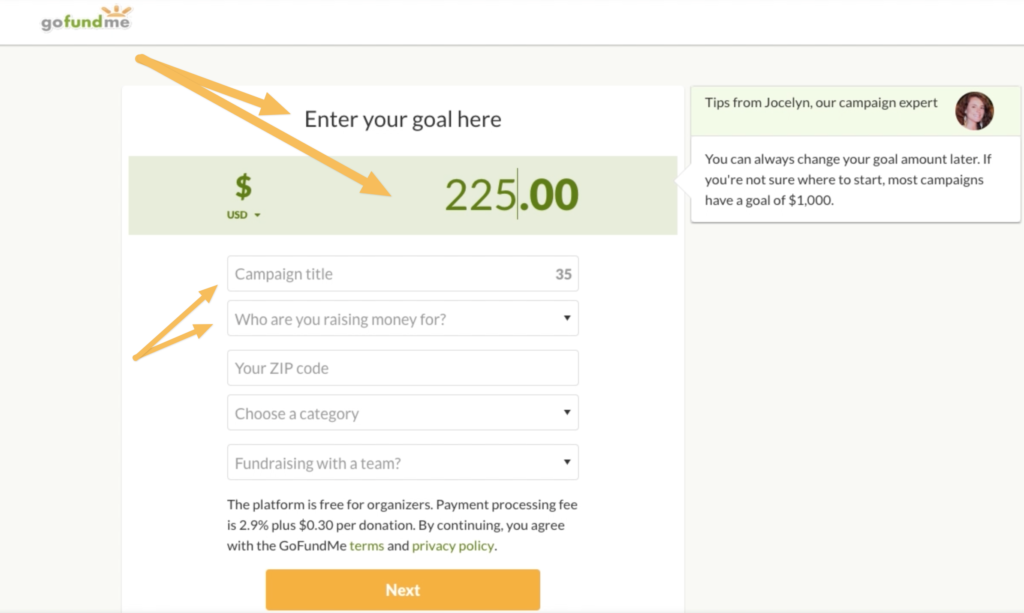
Step 4: Set Your Goal and Target Amount
Your goal and target amount should be specific, achievable, and challenging. Break down your overall goal into smaller milestones to help you stay on track and provide regular updates to your donors. Consider setting a specific date for when you'd like to reach your goal.
Step 5: Promote Your Campaign
The next step is to share your campaign with others. This can include:
- Sharing on social media
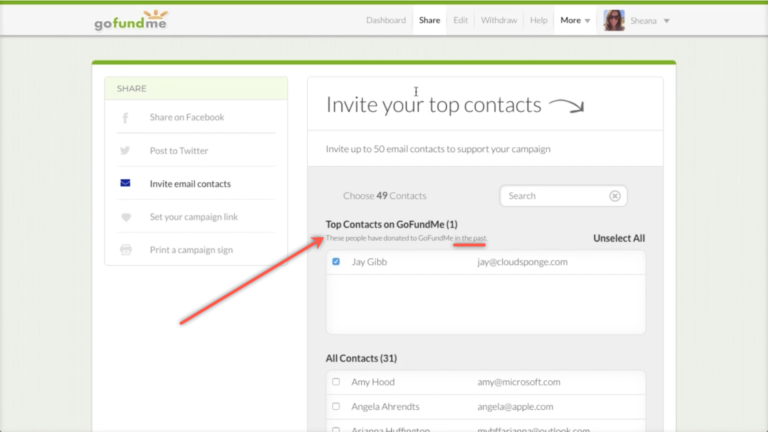
- Emailing your campaign to friends and family
- Posting on online forums and communities
- Sharing your campaign at local events and gatherings
To maximize your campaign's reach, consider sharing your campaign on multiple platforms and engaging with your audience through regular updates and communication.
Step 6: Engage with Your Donors
Finally, it's essential to engage with your donors through regular updates and communication. Responding to comments and messages, sharing updates on your progress, and expressing gratitude to your donors can help build a strong and supportive community around your campaign.
Conclusion
Setting up a successful GoFundMe campaign requires attention to detail, a clear and compelling story, an achievable goal, and regular updates and communication with donors. By following these steps and focusing on the essential elements of a successful campaign, you can create a GoFundMe campaign that resonates with your audience and maximizes your fundraising potential.
Additional Resources
For more expert tips and strategies on how to create a successful GoFundMe campaign, check out our comprehensive guide to launching a first GoFundMe campaign. You can also find answers to common fundraising questions and learn more about fundraising, donating, or receiving donations on the GoFundMe support website.