How to Protect Identity on Unsecured Networks
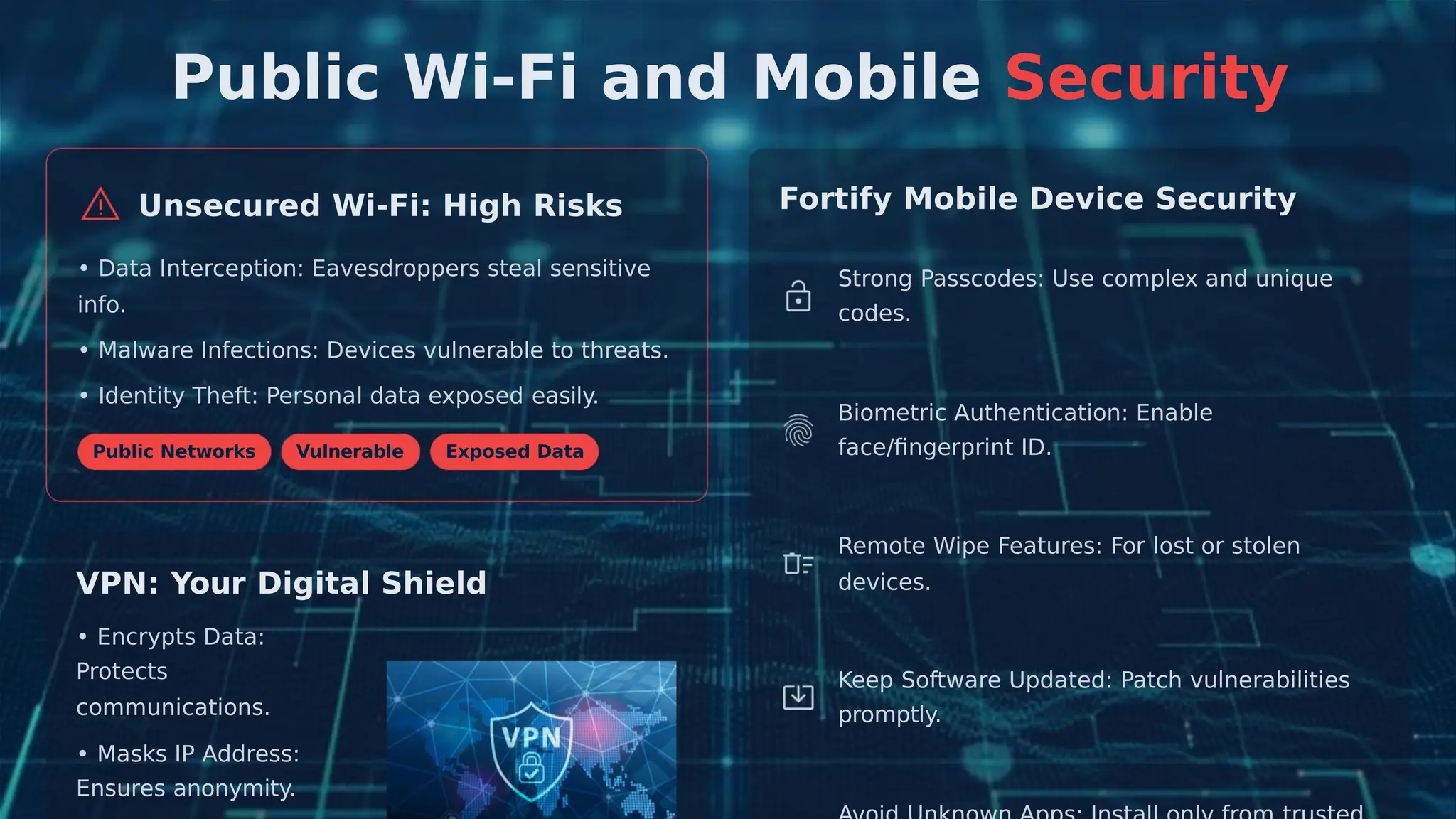
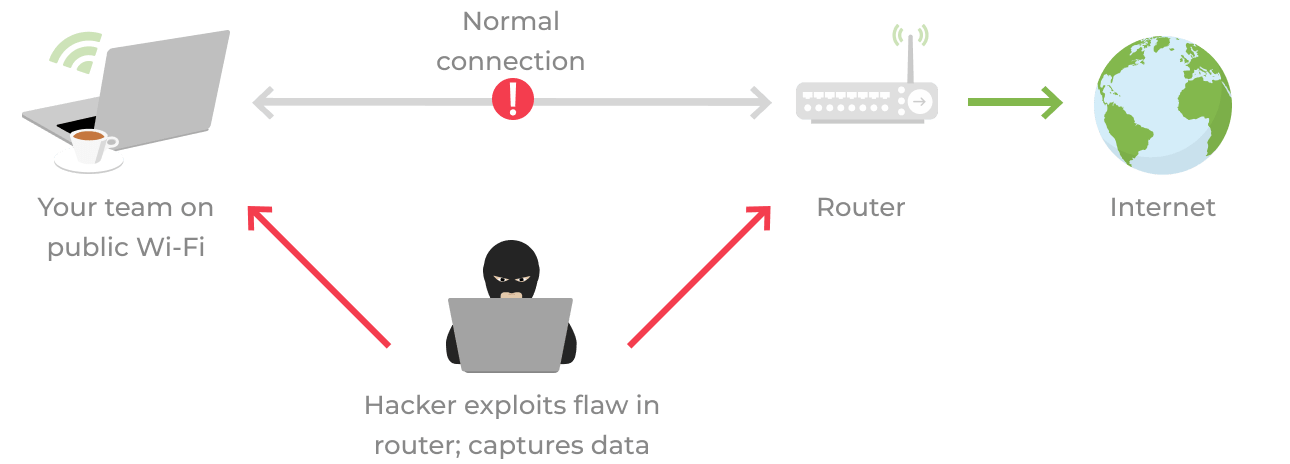
Using public Wi-Fi networks can be a convenient way to access the internet, but it also poses significant risks to your personal and financial information. Unsecured networks allow hackers to intercept your data, compromising your accounts and potentially leading to financial loss or identity theft.
Risks Associated with Unsecured Networks
- Public Wi-Fi hotspots can be a goldmine for hackers, who can easily intercept your data and steal your personal information.
- Unsecured networks are vulnerable to various types of security threats, including data theft and cyberattacks.
- By connecting to an unsecured network, you risk exposing your browsing data, which can be used to steal your identity or commit financial fraud.
- Unsecured networks can also be used to spread malware and viruses, which can compromise your device and put you at risk of identity theft.
Protecting Your Identity on Unsecured Networks
To protect your identity on unsecured networks, follow these simple security tips:
Turn Off Sharing Features
Features like file sharing, AirDrop, and network discovery on laptops and smartphones make it easy to share files and information with nearby devices. However, these settings can be dangerous on a public Wi-Fi network. Hackers can exploit file sharing or AirDrop to gain access to your device or sneak malware inside.
Use a Virtual Private Network (VPN)
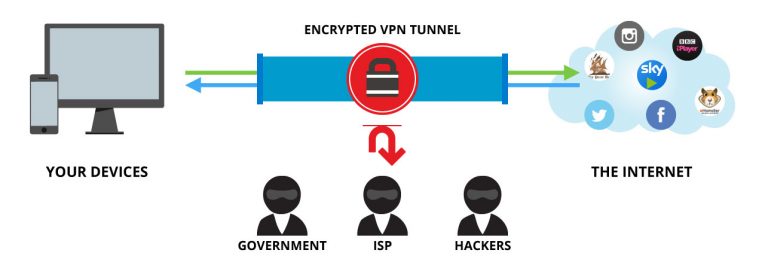
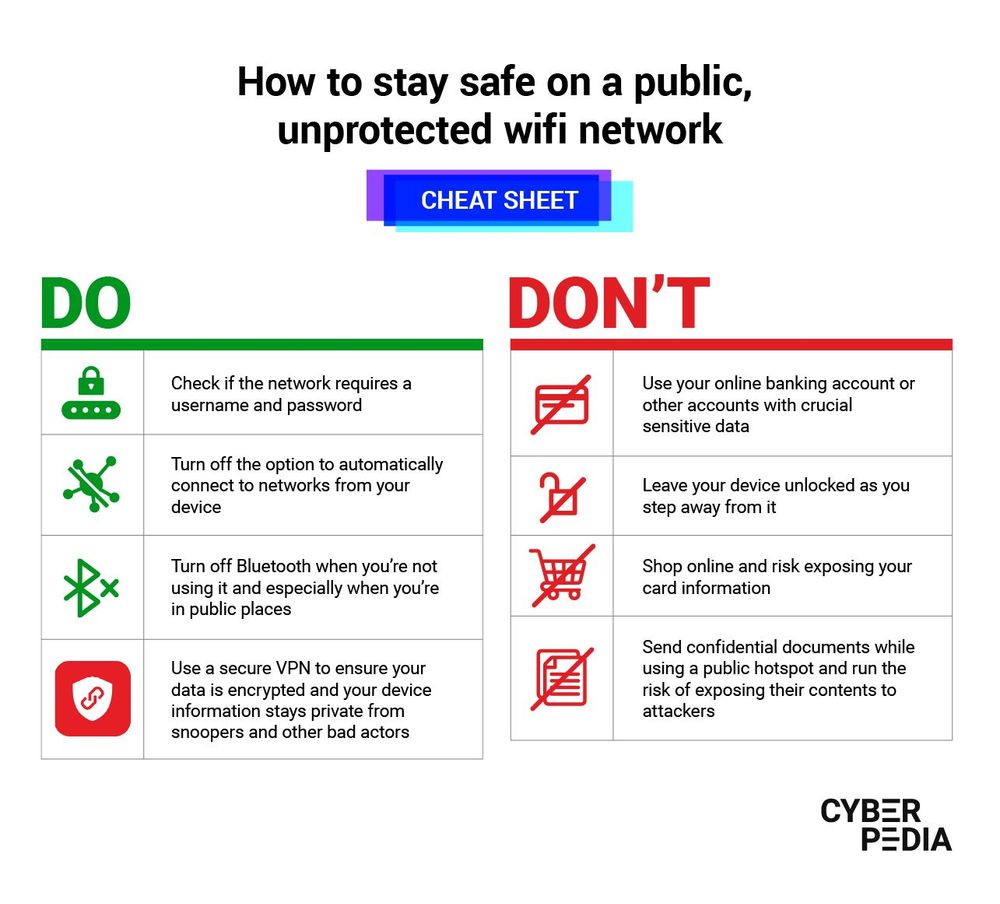
A VPN can help you protect your identity by creating a secure and encrypted connection between your device and the internet. This adds an extra layer of protection, safeguarding your data from potential threats on unsecured Wi-Fi networks.
Use Strong Passwords and Two-Factor Authentication
Using strong passwords and two-factor authentication can help prevent hackers from accessing your accounts and sensitive data.
Keep Your Software Up-to-Date
Regularly update your software and use tools like antivirus programs to safeguard against cyber threats.
Be Cautious with Personal Data

Don't share your identity details publicly or via unsecured apps. Be mindful of the information you share over public Wi-Fi networks, and avoid transmitting sensitive information through your eSIM.
Additional Tips to Protect Your Identity
To further protect your identity, consider the following:
Use a Secure and Well-Advertised Wi-Fi Network
Only use secure and well-advertised Wi-Fi networks, and be cautious of public Wi-Fi hotspots in high-traffic areas, such as airports.
Turn Off Bluetooth and Wi-Fi When Not in Use
Turn off Bluetooth and Wi-Fi when not in use to prevent unauthorized access to your device and sensitive data.
Implement a Small Business VPN
Implement a small business VPN to encrypt all team communications and protect your designs from theft over unsecured networks.
Stay Informed and Secure
Stay informed about the latest public WiFi dangers and take immediate action to recover from potential threats. Utilize virtual private networks, validate network security, maintain software updates, use strong passwords, and exercise good security practices and behaviors.
Conclusion
Protecting your identity on unsecured networks is crucial in today's digital landscape. By following these simple security tips and staying informed, you can safeguard your personal and financial information from potential threats. Remember, security is everyone's responsibility, so take control of your security today and stay protected online.