Facebook Profile Security Measures: A Comprehensive Guide
In today's digital age, having a strong online presence is crucial, and Facebook remains one of the most popular social media platforms with over 3 billion monthly active users. However, with great power comes great responsibility, and protecting your Facebook profile from cyber threats and data breaches is essential. In this article, we will delve into the world of Facebook profile security measures and provide you with actionable tips to safeguard your online identity.
Why Facebook Profile Security Measures are Essential
Facebook remains a prime target for cyberattacks, data harvesting, and privacy breaches. With millions of users sharing sensitive information on the platform, it's essential to take proactive measures to protect your Facebook profile from potential threats. By implementing robust security measures, you can prevent unauthorized access to your account, protect your personal data, and ensure a safe online experience.
Facebook's Built-in Security Features
Facebook has built-in security features to help you add an extra layer of protection to your account. These features include:
- Login alerts: Receive notifications whenever someone logs into your account from an unrecognized device or location.
- Two-factor authentication: Enable two-factor authentication to add an extra layer of security to your account.
- Security Checkup: Review your security settings, update your password, and enable login alerts and two-factor authentication using Security Checkup.
Implementing Additional Security Measures
While Facebook's built-in security features provide a solid foundation for protecting your account, implementing additional security measures can further enhance your online security. Here are some actionable tips to help you secure your Facebook profile:
- Set a strong password: Use a unique and complex password that includes a mix of uppercase and lowercase letters, numbers, and special characters.
- Enable two-factor authentication: Two-factor authentication adds an extra layer of security to your account, making it more difficult for hackers to gain unauthorized access.
- Review and update your security settings: Regularly review your security settings to ensure you're taking advantage of all available security features.
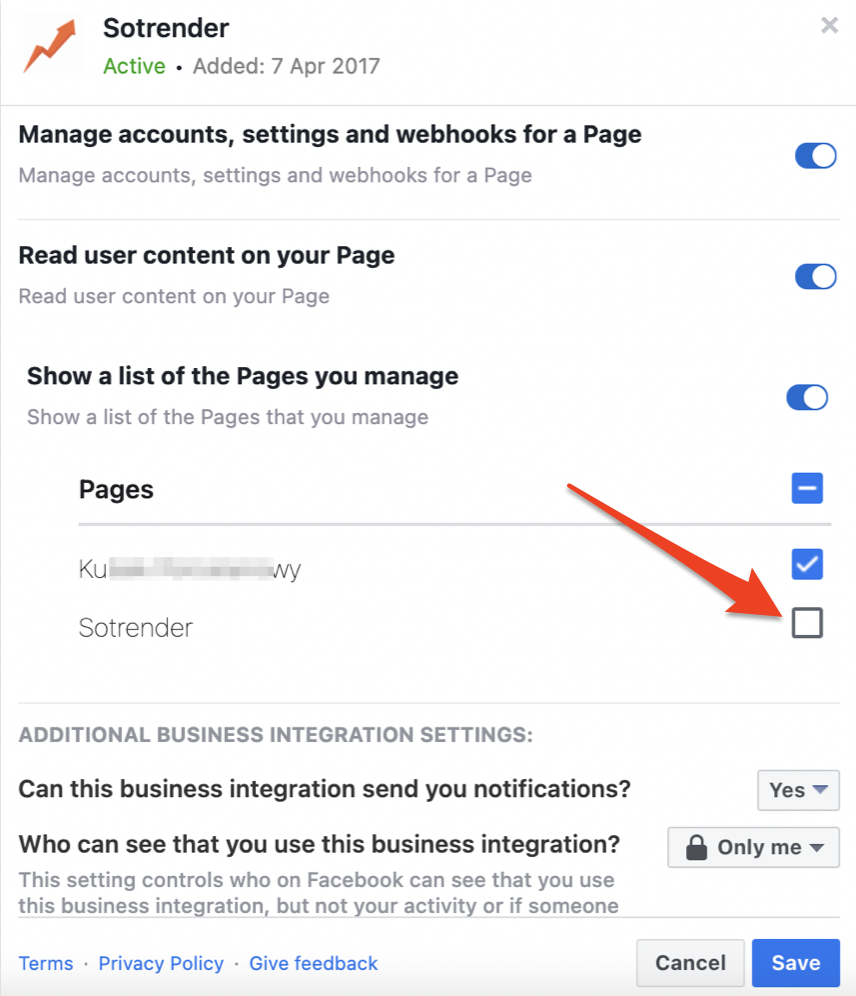
- Be cautious with third-party apps: Only authorize third-party apps that you trust, and be cautious when sharing sensitive information with these apps.
- Monitor your account activity: Regularly check your account activity to ensure no unauthorized access has occurred.

Protecting Your Personal Data
Facebook stores a wealth of personal data, including your profile information, friends list, and browsing history. To protect your personal data, follow these tips:
- Review and update your profile information: Ensure your profile information is up-to-date and accurate.
- Limit who can see your posts: Set your posts to be viewable by friends only to prevent unauthorized access to your personal information. li>Use Facebook's built-in privacy features: Use Facebook's built-in privacy features, such as the "Who can see your posts" feature, to control who can see your personal information.
Staying Safe on Facebook
Staying safe on Facebook requires a combination of caution and awareness. Here are some additional tips to help you stay safe on Facebook:
- Be cautious when meeting strangers: Never meet strangers in person or share sensitive information with them.
- Use strong passwords: Use strong passwords and keep them confidential.
- Keep your Facebook account up-to-date: Regularly update your Facebook account to ensure you have the latest security features and updates.
Conclusion
Protecting your Facebook profile from cyber threats and data breaches requires a proactive approach. By implementing robust security measures, you can prevent unauthorized access to your account, protect your personal data, and ensure a safe online experience. Remember to stay vigilant, be cautious when sharing sensitive information, and regularly review and update your security settings to ensure your online identity remains secure.