Mastering OBS for Beginners to Intermediate: A Comprehensive Guide
OBS (Open Broadcaster Software) is a powerful free live streaming software used by content creators, educators, and virtual event producers. With its vast range of features and integrations, OBS can be overwhelming for beginners. However, with the right guidance, anyone can learn to use OBS and create high-quality streams and recordings.
Getting Started with OBS for Beginners
If you're new to OBS, it's essential to start with the basics. The OBS Knowledge Base provides a quick introduction to the software, guiding you through the process of creating your first stream or recording.
- Download and install OBS from the official website.
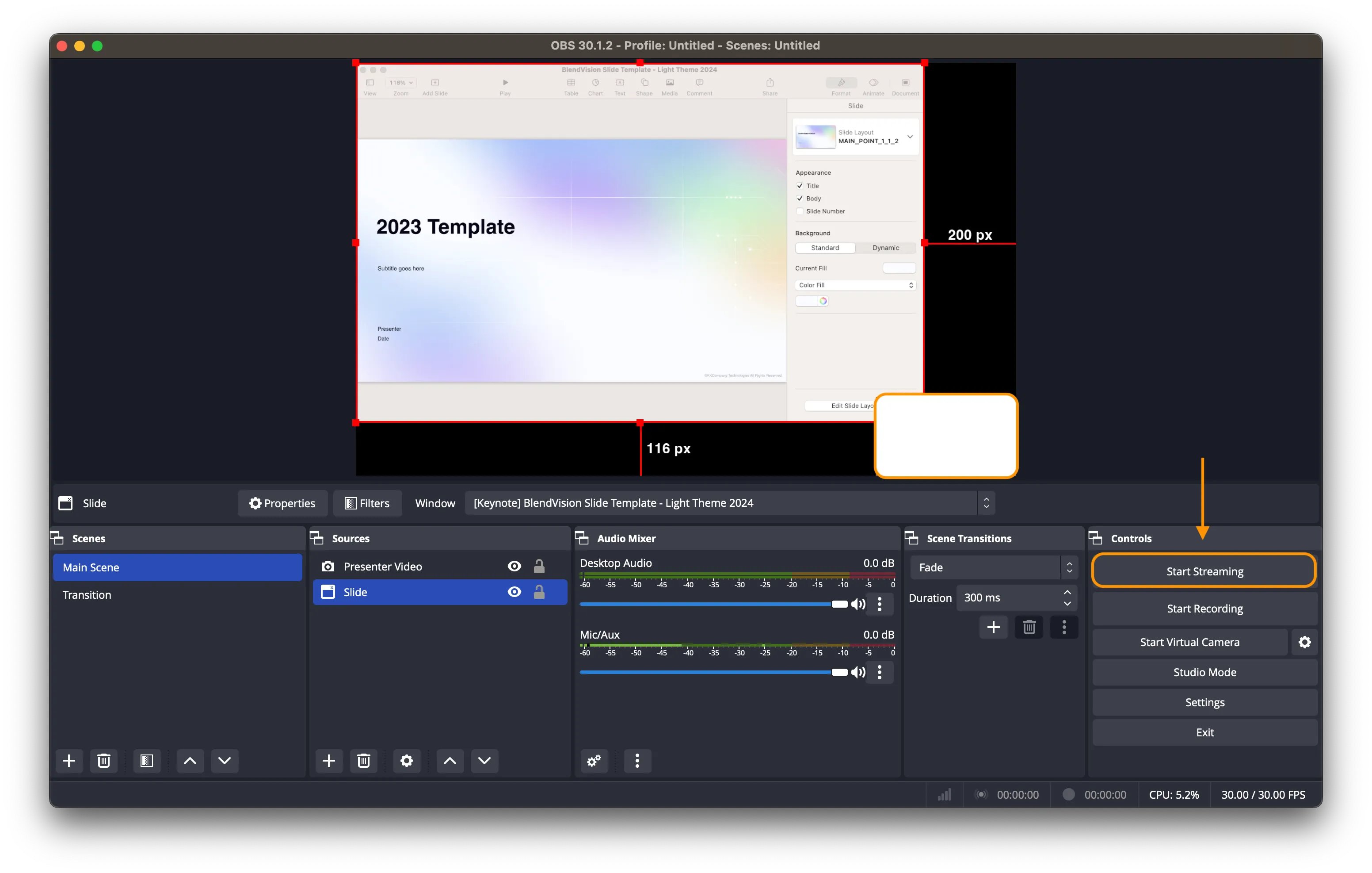
- Understand the different components of the OBS interface, including the Scenes, Sources, and Settings.
- Configure your audio settings, such as selecting the correct audio device and setting up your microphone.
- Set up your video settings, including the resolution, frame rate, and bitrate.
Intermediate Level: Setting Up Scenes and Sources
Once you've mastered the basics, it's time to move on to more advanced features. Creating Scenes and Sources is an essential part of setting up your OBS stream or recording.
- Learn how to create and manage Scenes, including setting up transitions and effects.
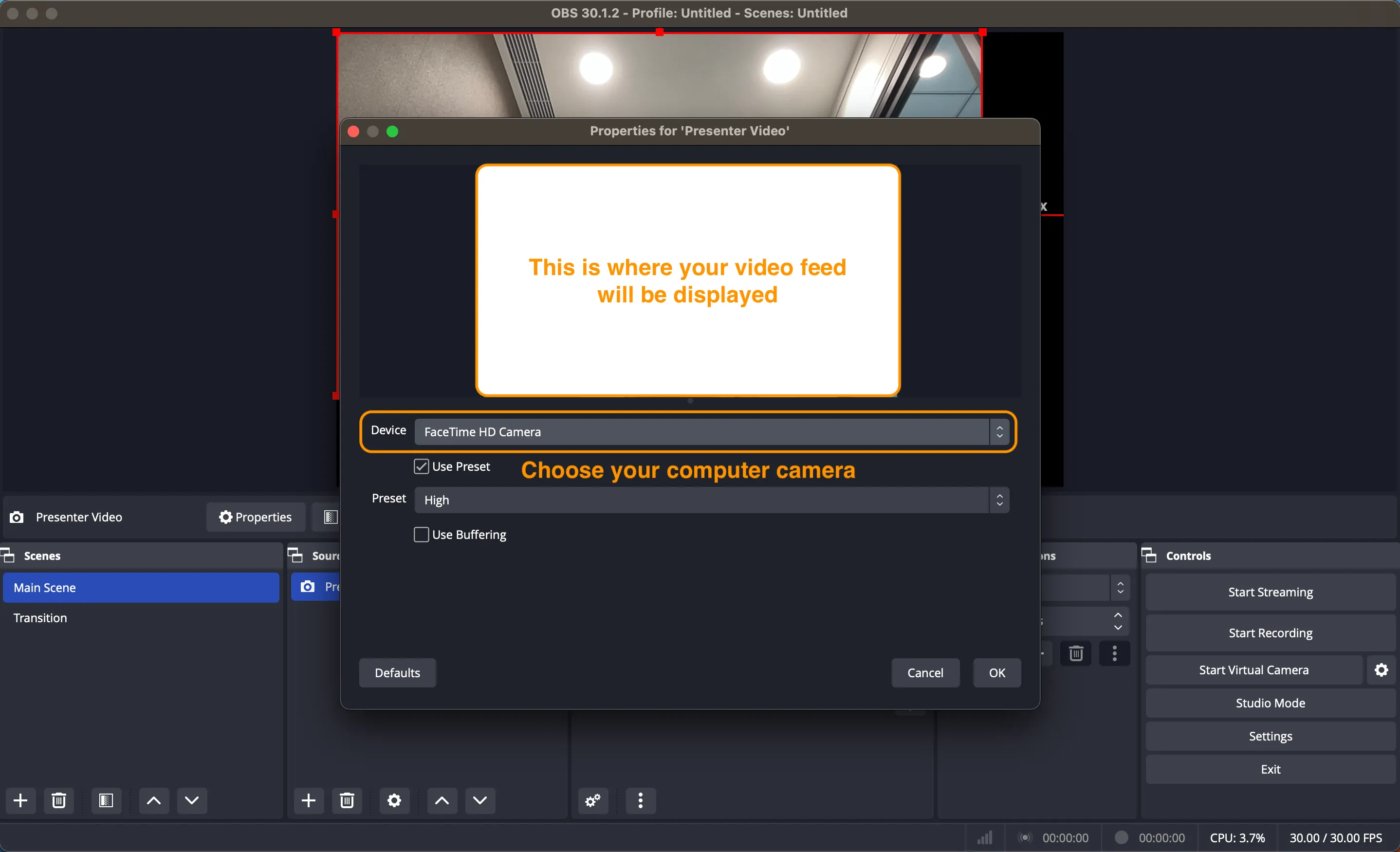
- Understand how to add Sources, including videos, images, and browser windows.
- Configure your Source settings, including the size, position, and properties.
Advanced Techniques: Custom Scenes and Shaders

As you become more comfortable with OBS, you can explore advanced techniques, including customizing Scenes and using Shaders.
- Learn how to create custom Scenes using the OBS Scene Editor.
- Understand how to use Shaders to add advanced effects and visuals to your stream or recording.
- Configure your Shader settings, including the type and properties.
Best Tools for Beginners to Intermediate Users
There are several tools and resources available to help beginners and intermediate users learn OBS.
- "OBS Studio for New Content Creators and Streamers": This course provides a comprehensive guide to using OBS, covering the basics to advanced features.
- Udemy, YouTube, and Skillshare: These platforms offer a wide range of OBS tutorials and courses, from beginner to advanced levels.
- Alison's "The OBS Studio: Essential Beginner's Guide": This free online course provides a step-by-step guide to using OBS, covering the basics to advanced features.
- Streamlabs Ultra: This tool provides an all-in-one solution for customization, audience engagement, and monetization, perfect for beginners to intermediate users.
Conclusion
OBS is a powerful software with a wide range of features and integrations. With the right guidance, anyone can learn to use OBS and create high-quality streams and recordings. Whether you're a beginner or an intermediate user, this comprehensive guide provides the necessary knowledge and resources to master OBS.




![OBS Studio - Tutorial for Beginners in 7 MINUTES! [ COMPLETE ]](https://i.ytimg.com/vi/Iz03j4kjhbY/maxresdefault.jpg "OBS Studio - Tutorial for Beginners in 7 MINUTES! [ COMPLETE ]")