Setting Limits on Kids' Screen Time: A Guide to Promote Healthy Digital Habits
In today's digital age, kids spend a significant amount of time staring at screens, and it's crucial for parents to set limits on kids' screen time. Excessive screen time can lead to a range of negative effects on children's physical, emotional, and social well-being. In this article, we'll explore the benefits of limiting screen time, how to set limits across devices, and provide tips for managing screen time effectively.
Benefits of Limiting Your Kids' Screen Time
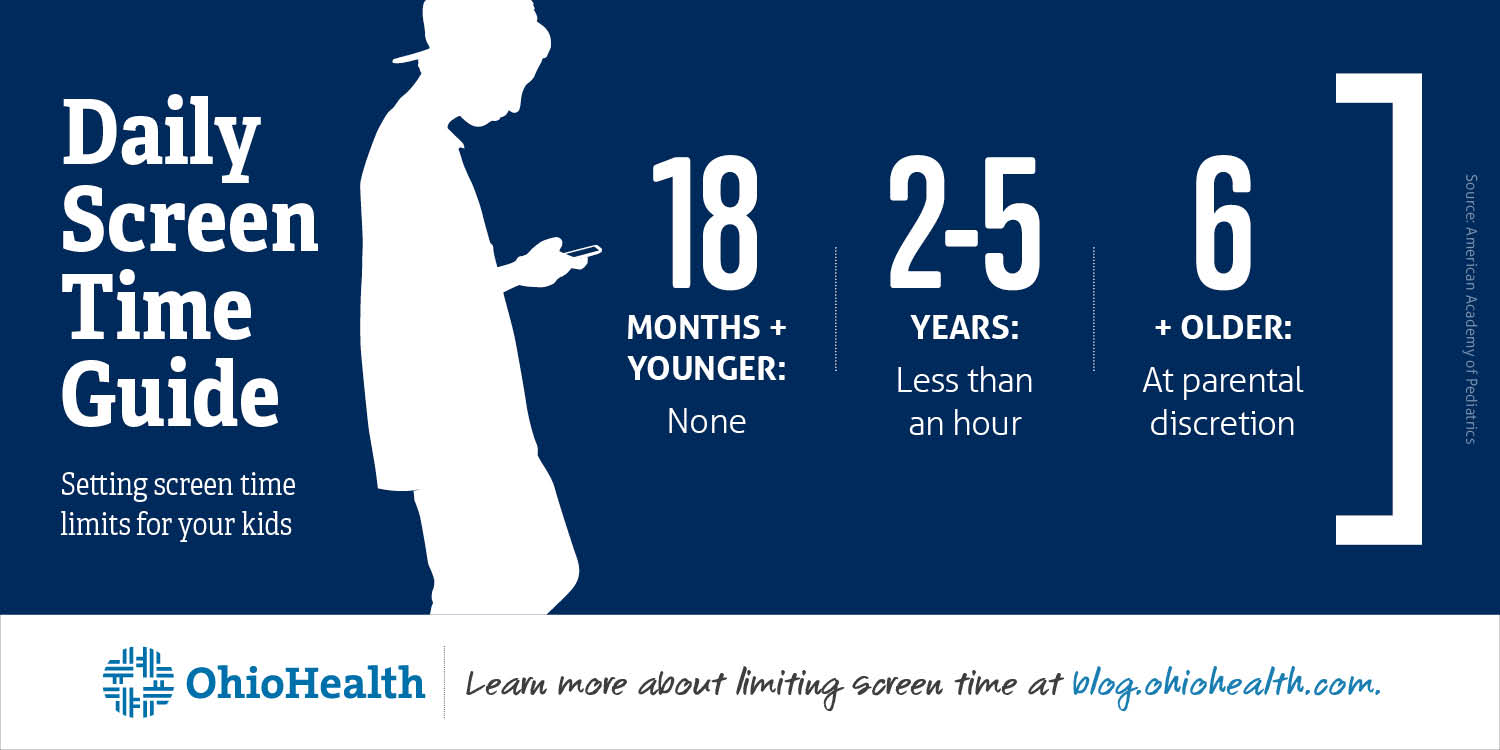
The American Academy of Pediatrics (AAP) recommends that parents limit screen time to no more than one hour a day for children aged 2-5 years. For children under 18 months, screen time is recommended to be avoided altogether, except for video chatting with family and friends, which can help boost communication skills. (1)
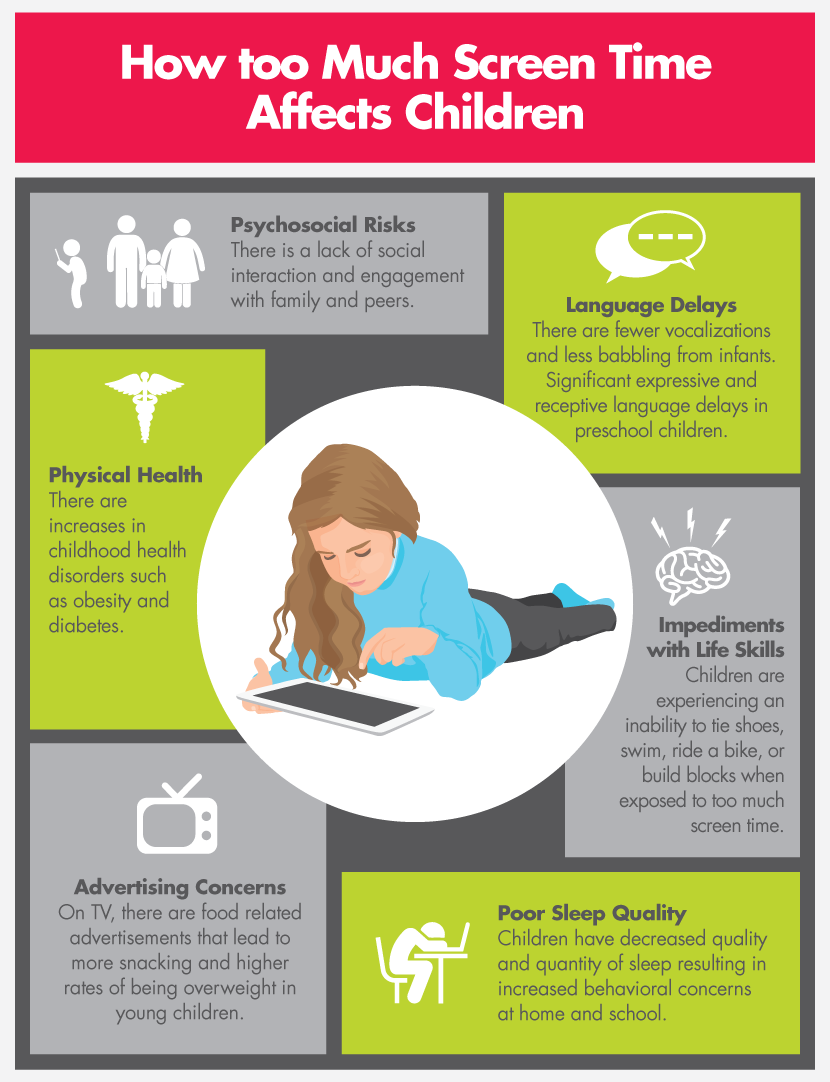
Scholars and experts have shown that excessive screen time can have a range of negative effects on children, including:
- Reduced physical activity and increased risk of obesity
- Decreased attention span and increased risk of attention deficit hyperactivity disorder (ADHD)
- Delayed language development and social skills
- Increased risk of sleep disturbances and decreased sleep quality
- Reduced face-to-face interaction and social skills
Setting Screen Time Limits Across Devices: Microsoft Family Safety
With the rise of digital technology, it's essential to set limits across devices to balance online habits within your family group. Microsoft Family Safety offers a range of features to help you set screen time limits across Windows, Xbox, and mobile devices.
- Set screen time limits for individual family members or the whole family
- Block apps and websites used by family members on Windows, Xbox, Edge, and mobile devices
- Set daily time limits and schedules for individual family members
Setting Screen Time Limits on Android Devices and Chromebooks
When you set screen time limits on your child's Android device or Chromebook, they'll receive gentle reminders to help them stay on track. They'll be notified when screen time is first set and again when their usage time is almost up. Once the limit is reached and the device locks, notifications will be paused, and the device will become unresponsive.

Setting Screen Time Limits on iOS Devices
On iOS devices, you can create a passcode for your child that must be entered before changing screen time settings. This ensures that your child can't change their screen time settings without your permission. You can also set time limits for individual apps and websites, as well as set overall screen time limits.
Setting Screen Time Limits for YouTube Kids on Amazon Fire Tablets
On Amazon Fire tablets, you can set screen time limits for YouTube Kids using the YouTube Kids app and the Amazon Kids profile. Within the YouTube Kids app's Parent Dashboard, you can access a built-in "Timer" feature that lets you set time limits for individual videos or channels.
Setting Healthy Screen Time Limits with Digital Wellbeing
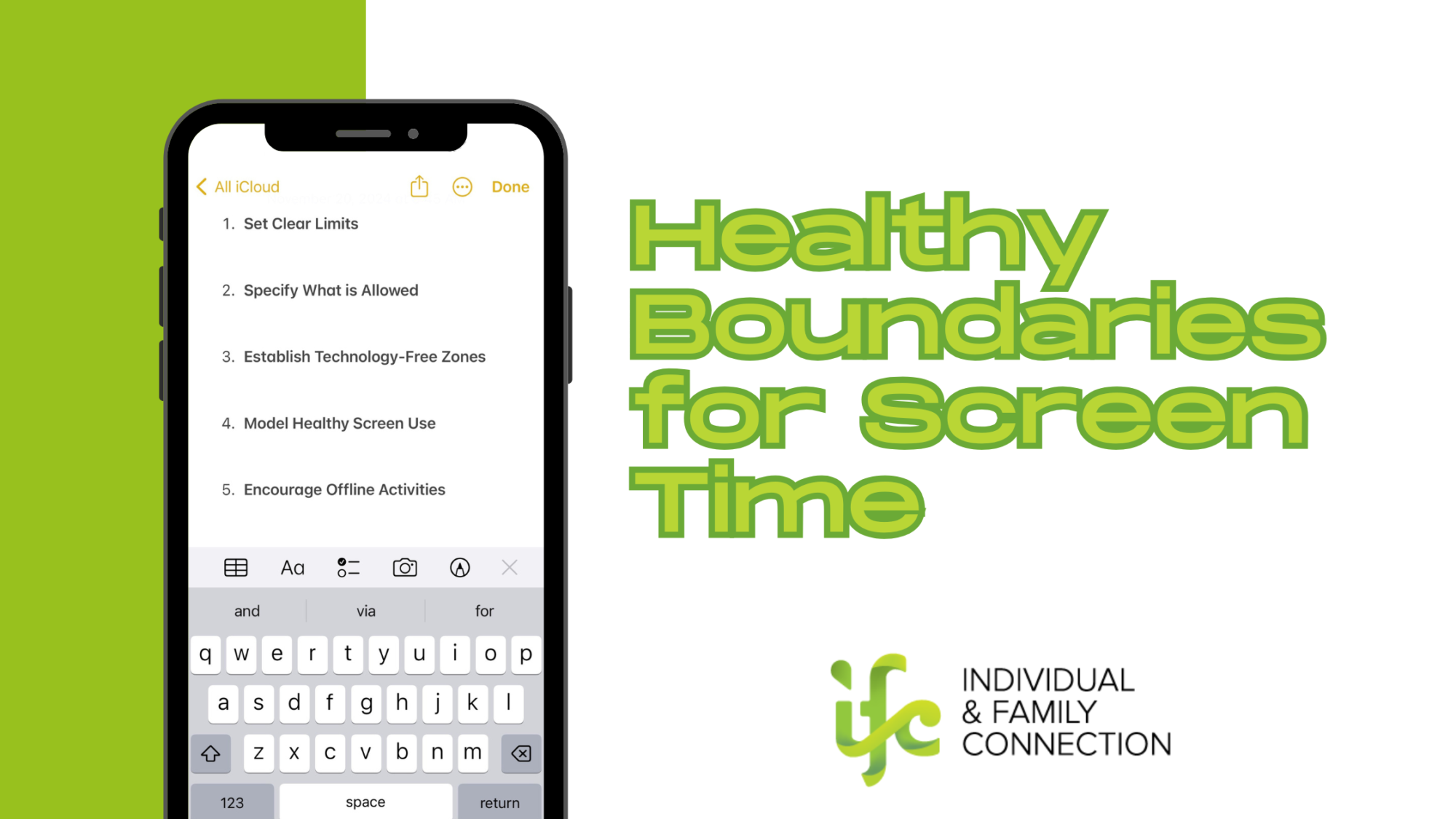
To set healthy screen time limits and digital boundaries, it's essential to establish clear guidelines for your family's tech use. With Digital Wellbeing, you can:
- Set time limits for individual family members or the whole family
- Filter content for individual family members based on their age and maturity level
- Pause the internet for individual family members or the whole family with a single tap
Conclusion
Setting limits on kids' screen time is essential for promoting healthy digital habits and a balanced lifestyle. By setting limits across devices and implementing digital wellbeing strategies, parents can help their children develop healthy screen time habits that benefit their physical, emotional, and social well-being. Remember, setting limits is just the first step – it's also essential to have open conversations with your child about their screen time habits and encourage them to use devices in a way that's positive and productive.