Router Security Tips for Beginners: Protect Your Home Network from Cyber Threats
The Importance of Router Security
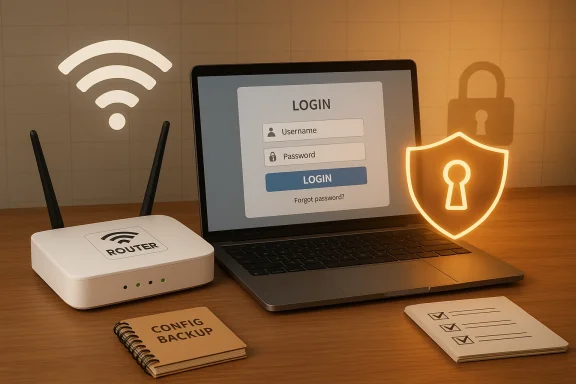
Your home router is the hub of your digital life, connecting all your devices to the internet and providing a gateway to the world. However, it's also a vulnerable entry point for cyber threats. If you don't secure your home Wi-Fi network, cyber threat actors can perform a number of operations that are detrimental to your digital well-being. From stealing sensitive information to hijacking your devices, the risks are real and ever-present. In this article, we'll provide you with the essential steps to secure your router and protect your home network from cyber threats.Tip 1: Choose a Secure Router
When selecting a router, look for one that supports the latest security protocols, such as WPA3 encryption, and has robust firmware that can be easily updated. Some routers also offer advanced features like built-in VPNs, do not track (DNS), and anti-DDoS (Distributed Denial of Service) protection. Consider investing in a router that has these features to boost your network security.Tip 2: Set a Strong Password
Your router's default password is not secure, and it's essential to change it to a strong, unique password. Use a mix of uppercase and lowercase letters, numbers, and special characters to create a password that's difficult to guess. Additionally, enable WPA3 encryption, which is the latest and most secure wireless encryption protocol.Tip 3: Update Firmware Regularly
Regular firmware updates are crucial in ensuring that your router's security patches are up-to-date. This will help prevent vulnerabilities from being exploited by hackers. Set your router to automatically update its firmware, or update it manually when prompted.Tip 4: Use a VPN
A Virtual Private Network (VPN) encrypts your internet traffic and ensures that any data transmitted through your router is secure. Use a reputable VPN service to protect your network from prying eyes.Tip 5: Disable Remote Access

Tip 6: Use Guest Networking
Guest networking is a feature that isolates guests from your main network, preventing them from accessing sensitive information or device control. Enable guest networking and set up a dedicated network for visitors to use.Tip 7: Monitor Your Network
Use tools like Netgear Genie or the online tool DNS-Leak to monitor your network activity and detect any potential security threats.Tip 8: Regularly Reboot Your Router
Rebooting your router regularly helps to clear out temporary bugs and issues that can compromise your security. Set a schedule to reboot your router every month to keep it running smoothly.Conclusion
Securing your router is no longer a complex task; with these simple router security tips, you can protect your home network from cyber threats. By choosing a secure router, setting a strong password, updating firmware regularly, using a VPN, disabling remote access, enabling guest networking, monitoring your network, and regularly rebooting your router, you can ensure that your digital life remains secure and private. Remember, securing your router is crucial for protecting your digital well-being, and with these tips, you're one step closer to achieving total control over your home network.Final Tips
- Change your password regularly
- Use strong encryption (WPA3 or WPA2)
- Hide your Wi-Fi network to prevent unauthorized access
- Regularly update your firmware
- Use a reputable VPN service
- Monitor your network activity
- Set up guest networking
- Reboot your router regularly