How to Remove Malware from Android: A Step-by-Step Guide
Introduction
Malware is a growing concern for Android users, threatening the security and privacy of their personal data. In this guide, we will show you how to remove malware from your Android device and protect it from future threats.
Understanding Malware
Malware refers to any software that is designed to harm or exploit a computer system. This includes viruses, Trojans, spyware, adware, and ransomware, among others. Malware can attach itself to a program, document, or media file, and spread rapidly across your device and network.
Step 1: Enable Google Play Protect
Google Play Protect is a built-in security feature on Android devices that helps protect against malware and other apps that may harm your device. To enable Google Play Protect:
- Go to your device's Settings
- Select "Security" or "Lock screen and security"
- Look for the "Google Play Protect" section and toggle it on
- Make sure you are running the latest version of Android
Step 2: Update Your Device
Keeping your device up-to-date is essential to ensure you have the latest security patches and bug fixes. To update your device:
- Go to your device's Settings
- Select "System" or "About phone"
- Look for the "System update" option and click on it
- Follow the instructions to download and install the update
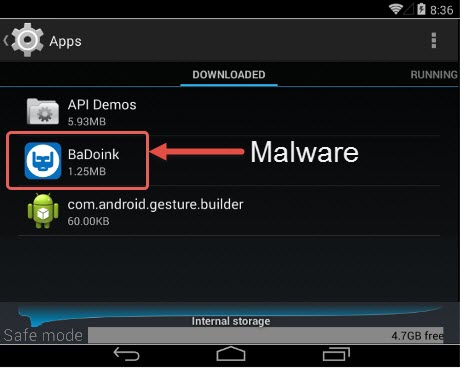
Step 3: Uninstall Suspicious Apps

Malware often spreads through apps, so it's essential to monitor your app downloads and remove any suspicious ones. To uninstall an app:
- Go to your device's "App drawer" or "Apps" section
- Find the app you want to uninstall and long-press on it
- Tap "Uninstall" to remove the app
Step 4: Perform a Security Checkup
Google's security checkup tool can help you identify and remove malware on your device. To perform a security checkup:
- Go to the Google Play Store
- Tap "More" or the three horizontal lines on the top right corner
- Select "Settings" and then "Security"
- Look for the "Security checkup" option and follow the instructions
Step 5: Use an Anti-Malware Tool
Using an anti-malware tool can help detect and remove malware on your device. Some popular options include:
- Avast Mobile Security
- Bitdefender Mobile Antivirus
- Malwarebytes for Android
Conclusion
Removing malware from Android can be a straightforward process if you follow these steps. By enabling Google Play Protect, updating your device, uninstalling suspicious apps, and performing a security checkup, you can significantly reduce the risk of malware infections. Additionally, using an anti-malware tool can provide an extra layer of protection against malware and other threats.



![How To Remove Malware From Android Phone [7 Easy Methods]](https://images.saymedia-content.com/.image/t_share/MTkyNzk3MTEyMDI1NjIxNzI1/how-to-detect-and-remove-malware-from-your-android-a-quick-guide.png "How To Remove Malware From Android Phone [7 Easy Methods]")