How To Defend Against Ransomware: A Comprehensive Guide
Ransomware, a type of malware that encrypts data and demands a ransom in exchange for the decryption key, has become a significant threat to organizations and individuals alike. In this article, we will explore the importance of defending against ransomware and provide a comprehensive guide on how to protect yourself against this growing threat.
Understanding Ransomware
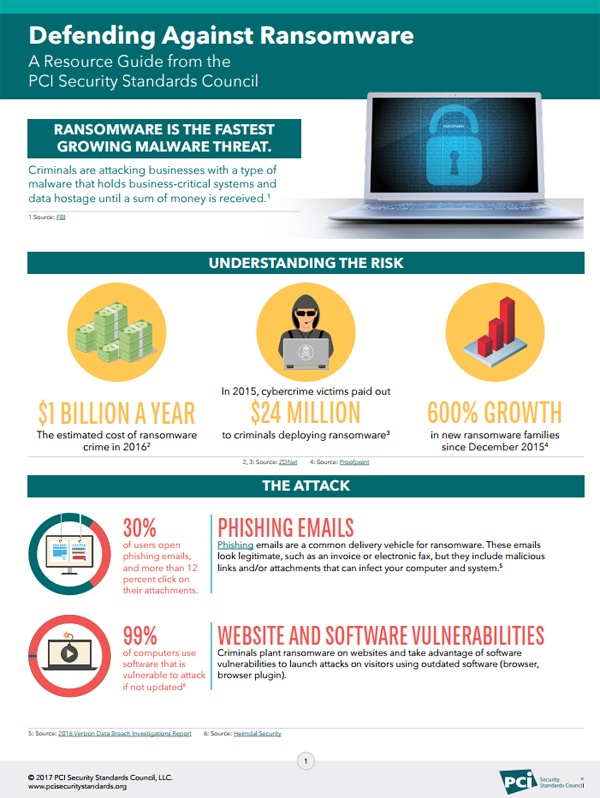
Ransomware can spread across a network, causing significant disruptions to an organization's operations. It can affect anyone, from individual users to large corporations, and can lock up individual files, entire databases, or even an entire computer system. The consequences of a ransomware attack can be devastating, including financial losses, reputational damage, and compromised sensitive data.
Types of Ransomware
There are several types of ransomware, including:
-
Encrypting ransomware: This type of ransomware encrypts files and demands a ransom in exchange for the decryption key.
-
Locking ransomware: This type of ransomware locks the user's computer or files and demands a ransom to restore access.
-
Doxing ransomware: This type of ransomware steals sensitive data and threatens to publish it online unless a ransom is paid.
How To Defend Against Ransomware
Prevention
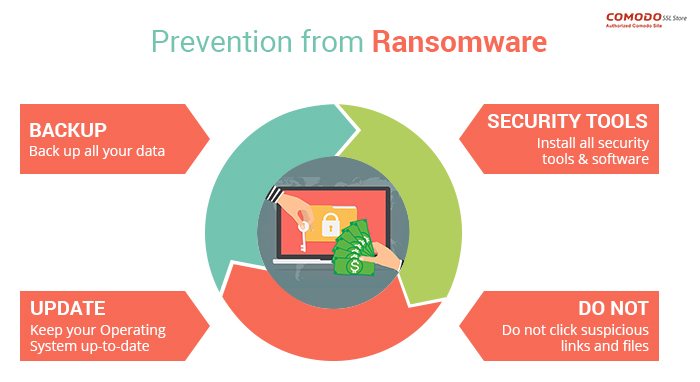
Backup your data regularly: Regular backups can ensure that you can recover data in case of a ransomware attack. Store backups in a secure location, such as an external hard drive or cloud storage.
Keep your operating system and software up to date: Regularly update your operating system, browser, and other software to ensure that you have the latest security patches.
Use antivirus software: Install reputable antivirus software that includes anti-ransomware protection.
Use strong passwords: Use strong, unique passwords for all accounts, and avoid using public Wi-Fi or suspicious links that may contain malware.
Detection
Use intrusion detection systems: Install intrusion detection systems to monitor network traffic for suspicious activity.
Use log monitoring: Regularly monitor system logs for suspicious activity that may indicate a ransomware attack.
Response
Have an incident response plan in place: Develop a plan that includes procedures for responding to a ransomware attack, such as isolating affected systems, notifying stakeholders, and restoring data from backups.
Additional Measures
Use two-factor authentication (2FA): Enable 2FA to prevent unauthorized access to systems and data.
Use a secure web application firewall (WAF): Install a WAF to protect against web-based attacks and prevent unauthorized access to applications.
Regularly test your security infrastructure: Regularly test your security infrastructure to ensure that it can detect and respond to ransomware attacks.
Conclusion
Defending against ransomware requires a comprehensive approach that includes prevention, detection, and response. By following the steps outlined in this guide, you can reduce the likelihood of a ransomware attack and ensure business continuity in the event of an attack. Remember to stay vigilant and regularly update your security measures to stay ahead of evolving threats. With the right tools, policies, and procedures in place, you can protect yourself against the growing threat of ransomware.
Additional Resources
For more information on defending against ransomware, refer to the following resources:
-
Cybersecurity and Infrastructure Security Agency (CISA): CISA offers several no-cost resources to help you take a proactive approach to protecting your organization against ransomware.
-
FBI Ransomware Prevention Tips: The FBI provides tips on preventing ransomware attacks, including avoiding suspicious links and email attachments, keeping software up to date, and using strong passwords.
-
The Cybersecurity and Infrastructure Security Agency (CISA): CISA provides guidance on how to defend against ransomware, including prevention, detection, and response measures.